Tableau
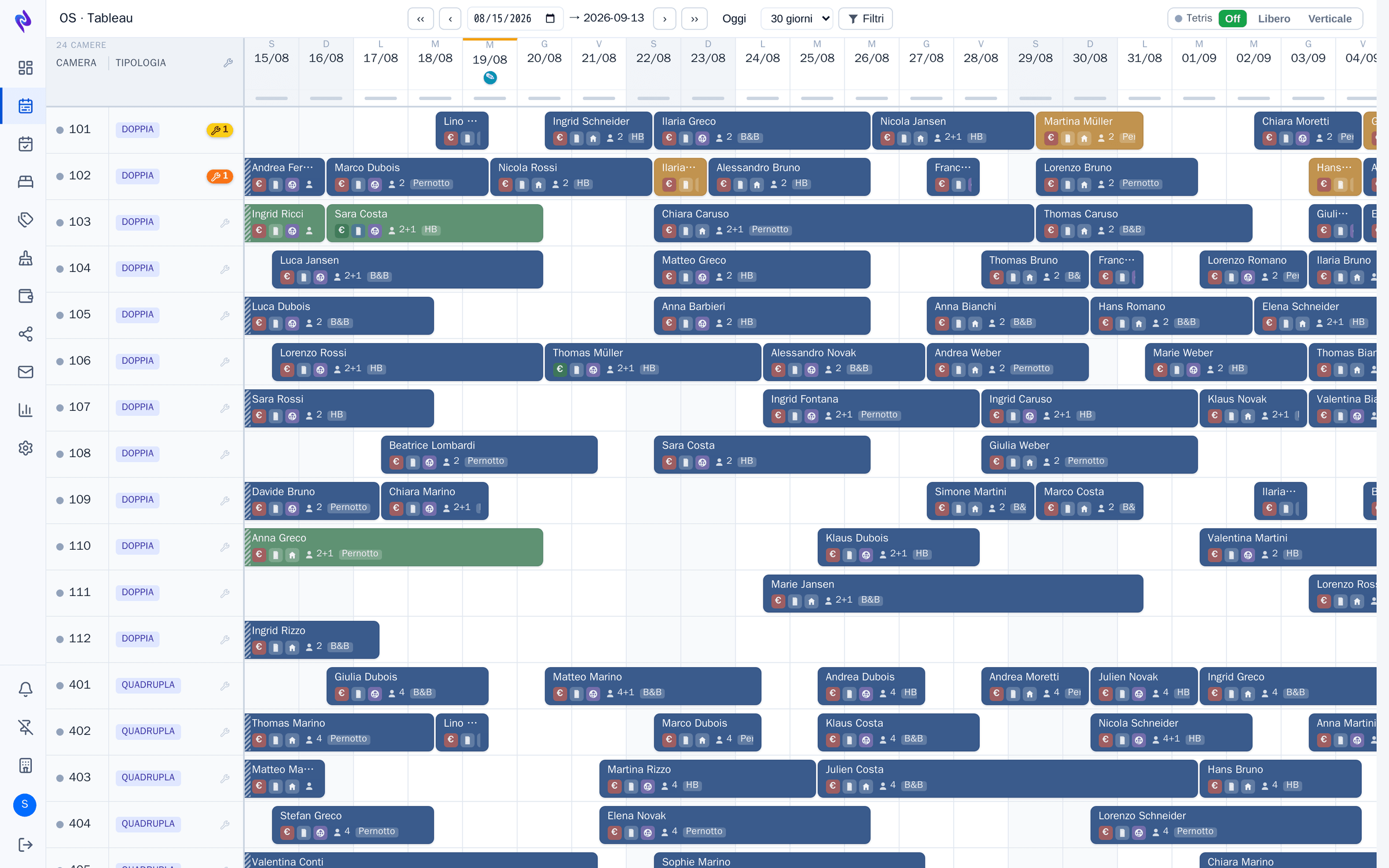
The room plan: drag bookings to move them, and overbooking can't get through.
VenusLab OS · Hotel PMS
Rooms, bookings, accounts and compliance in one program, which does the repetitive work by itself: guest emails, housekeeping, tourist tax, invoices.
Channel manager and booking engine included · Published prices · No setup fee
Automation
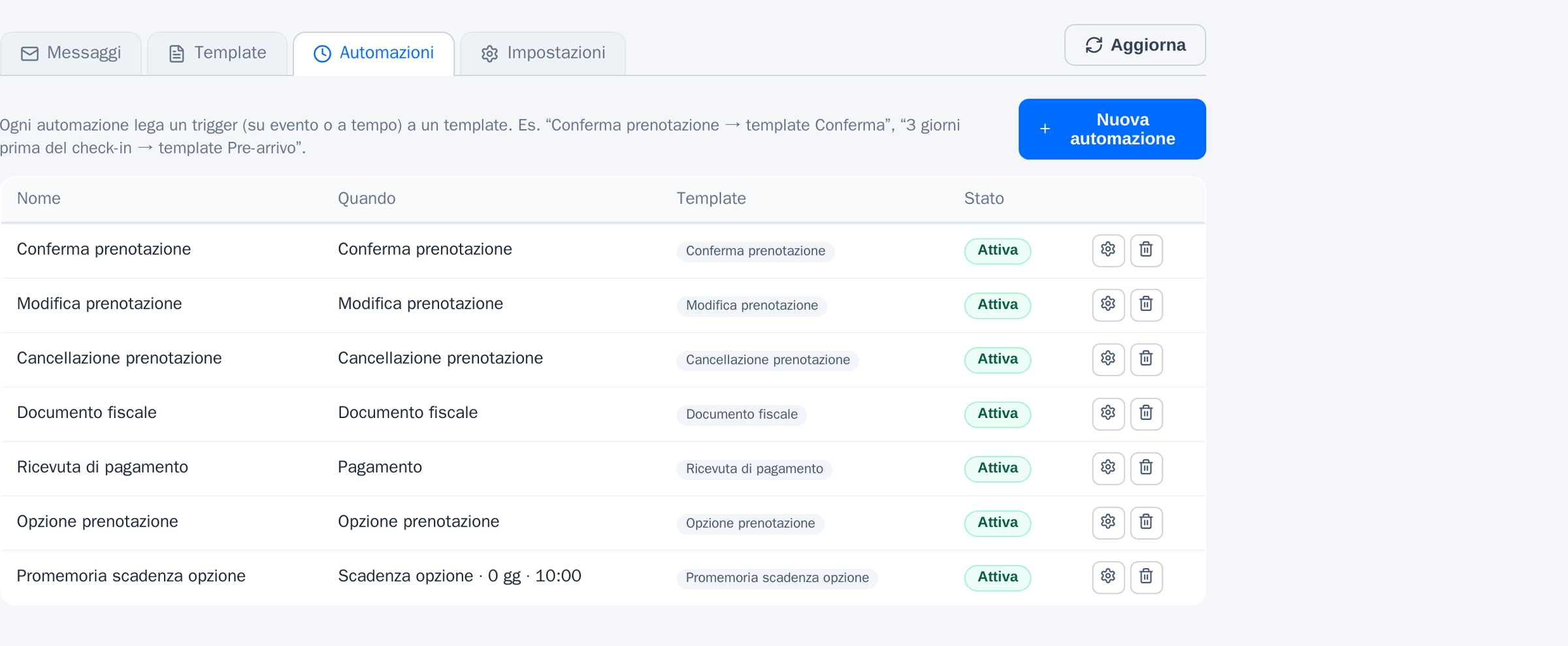
Nine things that happen by themselves in OS, from data the system already holds.
Confirmation, amendment, cancellation, receipt and reminders go out by themselves, in your own words.
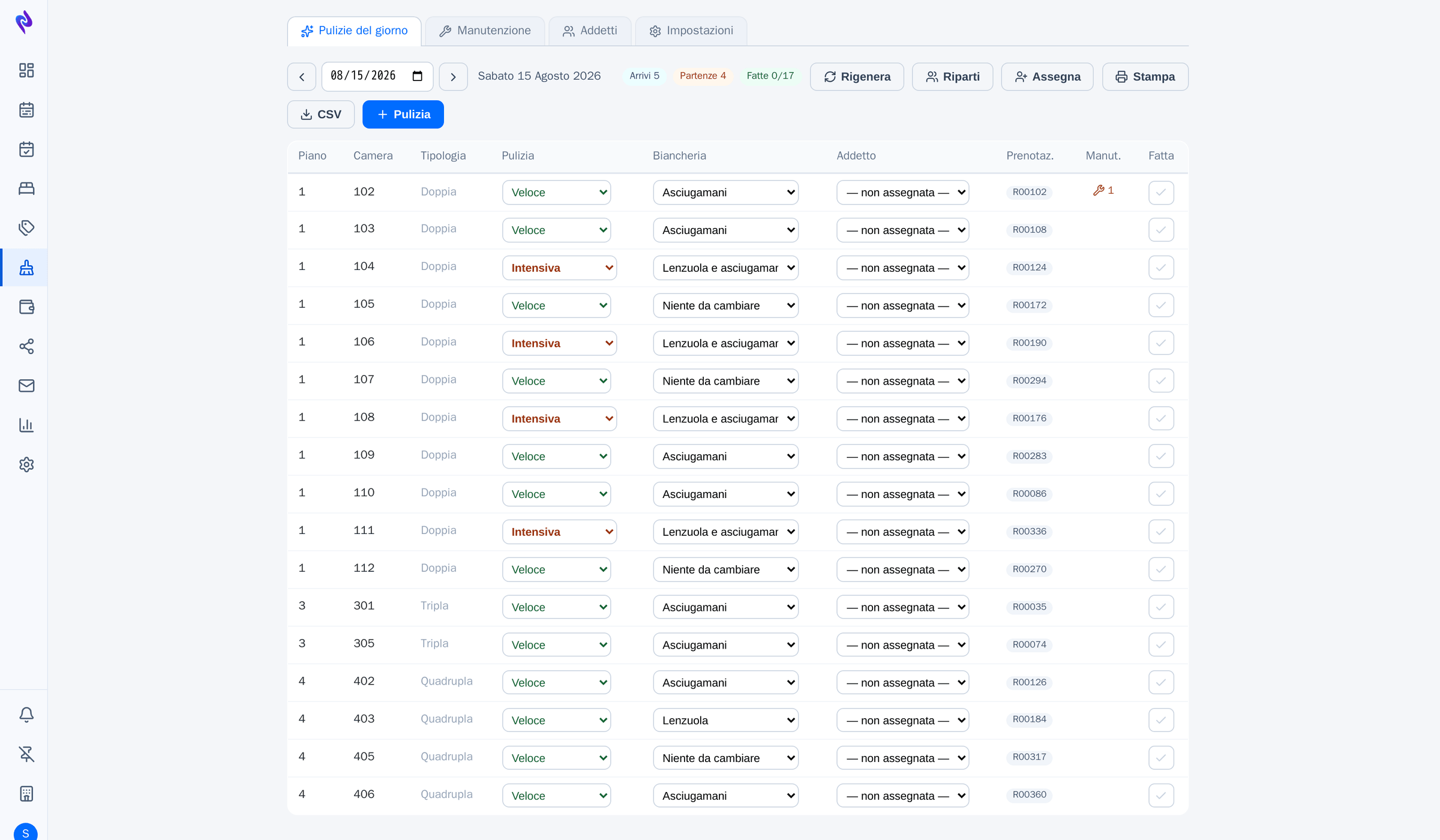
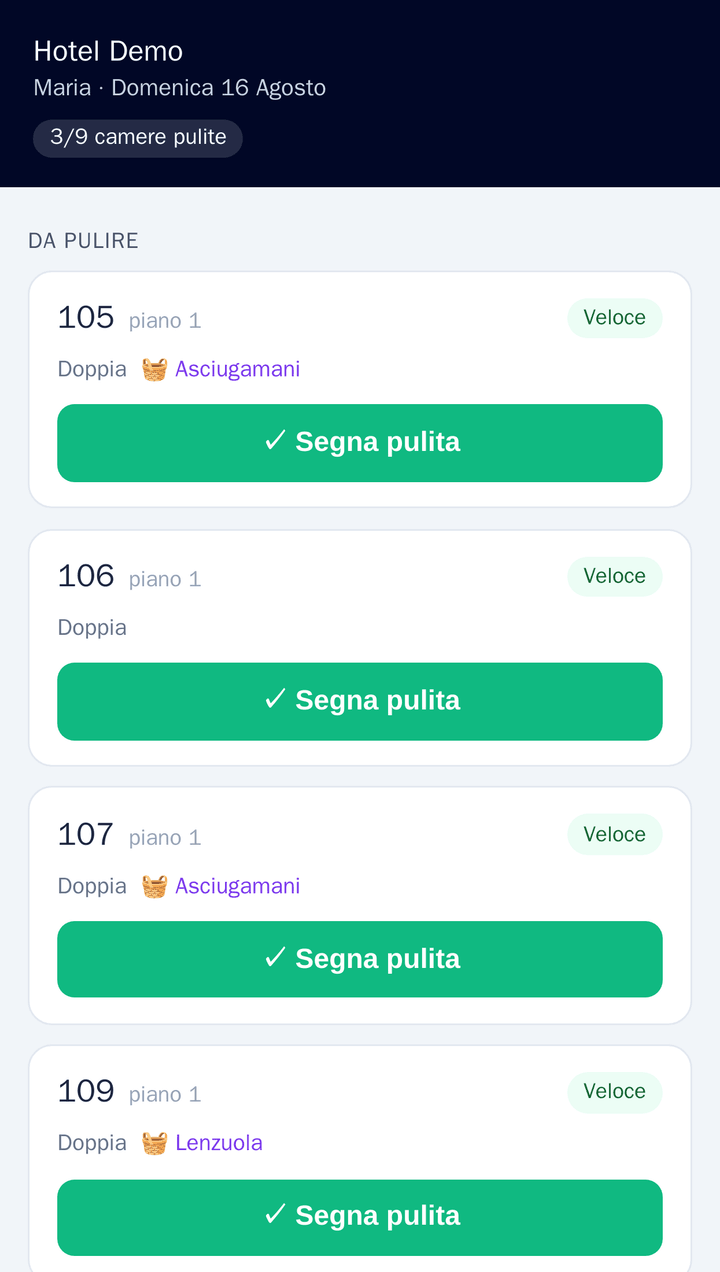
The housekeeper finds the day's list already made: quick or deep clean, linen or not.
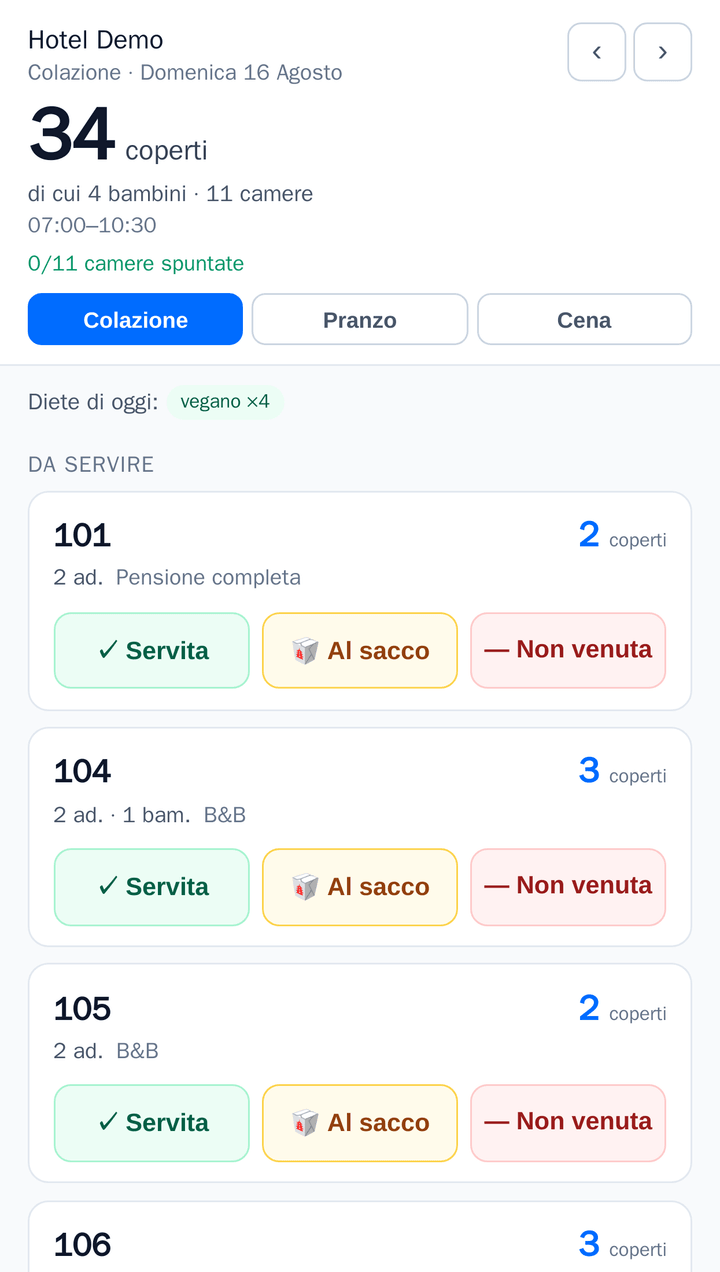
Covers and dietary needs are counted from each booking's board type, and yesterday's attendance corrects the forecast.
You write the rules once, exemptions included, and the tax lands in the booking by itself.
Charges follow the stay night by night: at month end there is only checking left.
Electronic invoices and commercial receipts go from the closed folio to the revenue agency, numbered and archived.
What you sell at the property reaches the portals, and their bookings land on the tableau.
If a booking is left without a room, OS rearranges stays not yet arrived and finds one.
Housekeeping reports them from a phone, and they reach reception and maintenance with their priority.
The PMS
Room plan, channel manager, accounting and compliance work on the same data. Everything is entered once, and at month end the numbers match.
The room plan: drag bookings to move them, and overbooking can't get through.
Search, amend, check in and check out, with every action logged.
Room types, rate plans and restrictions: the base for every other module.
Channel manager and direct booking site, on the same availability.
Payments, takings and documents, with the books closing by themselves.
Tourist tax and VAT worked out from data already entered.
The day's room work, from arrivals, departures and stayovers.
Covers, board types and dietary needs for each service, taken from the stays.
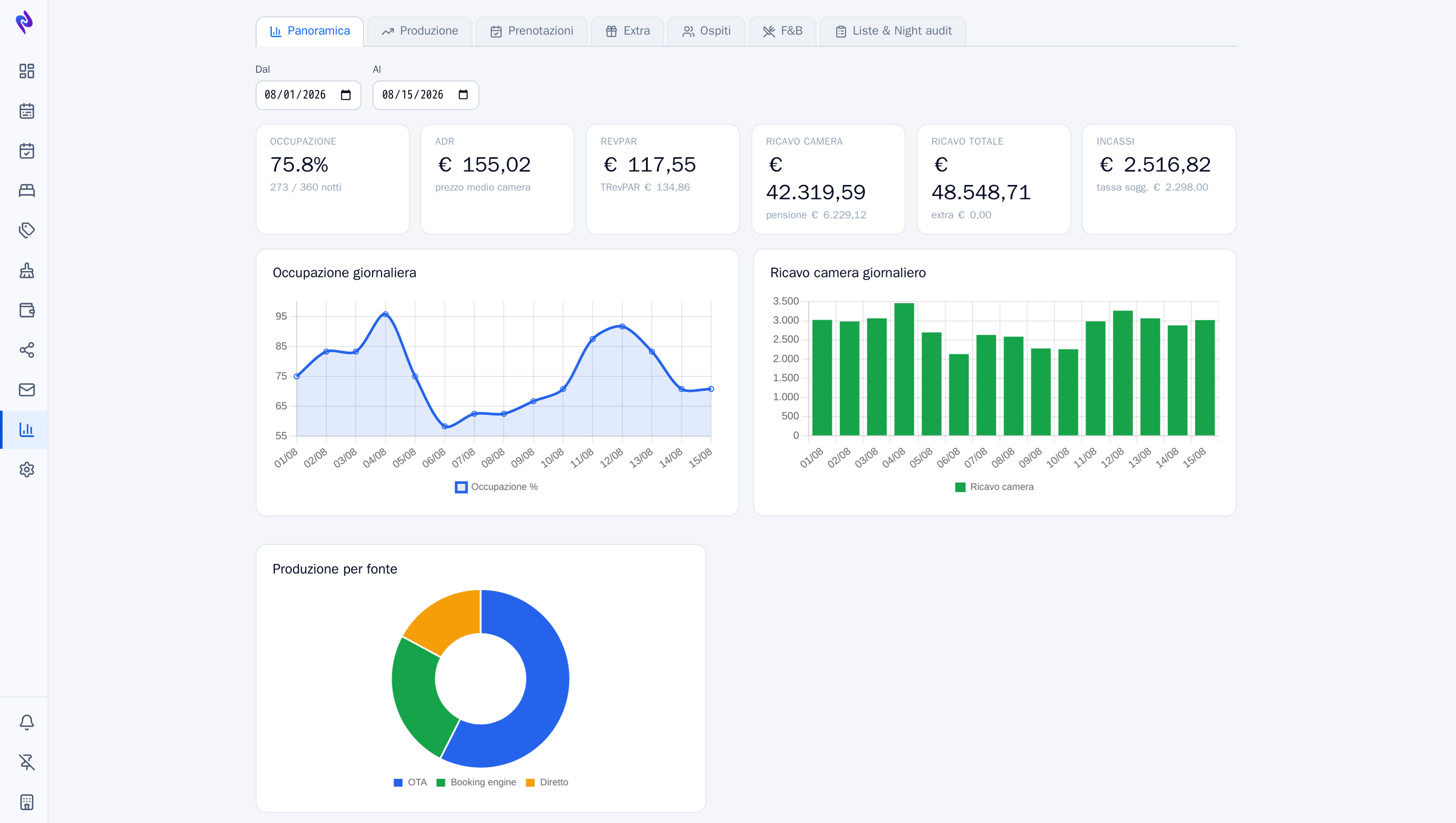
Occupancy, revenue and production, on the same numbers as every other module.
Booking engine
It is the one part of the PMS your guests see. Seven colours, six typefaces and three ways to show the rooms, plus corners, spacing, cover and logo. You see every choice straight away in the preview.
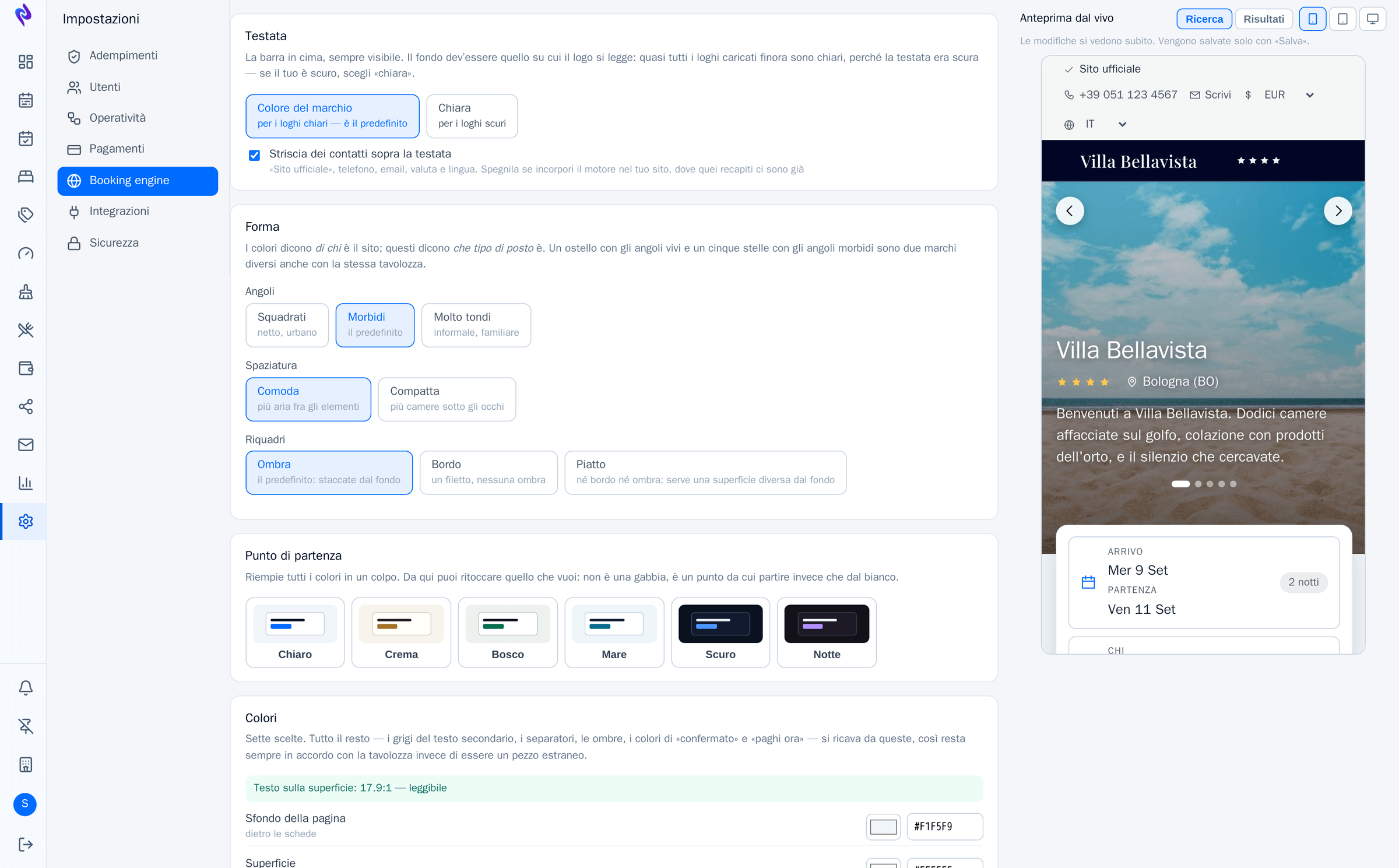
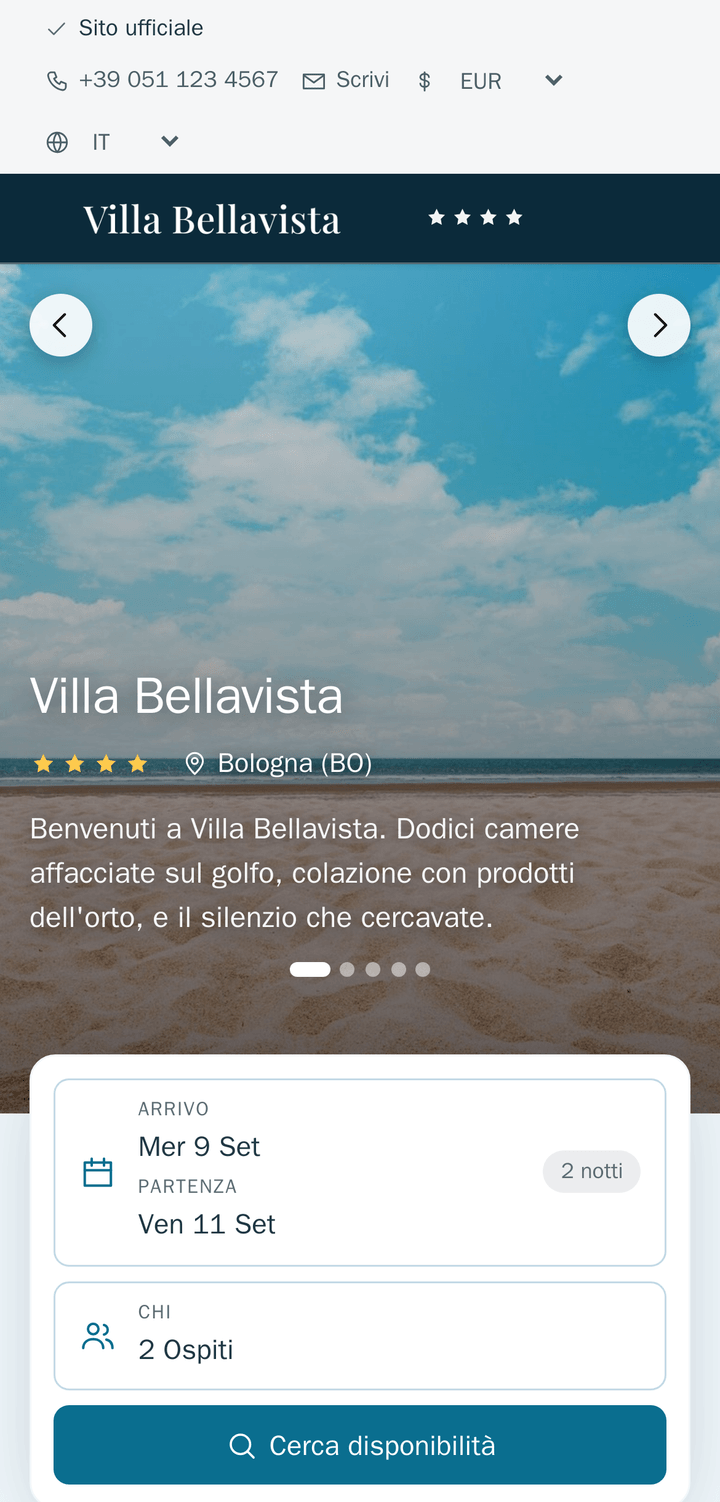
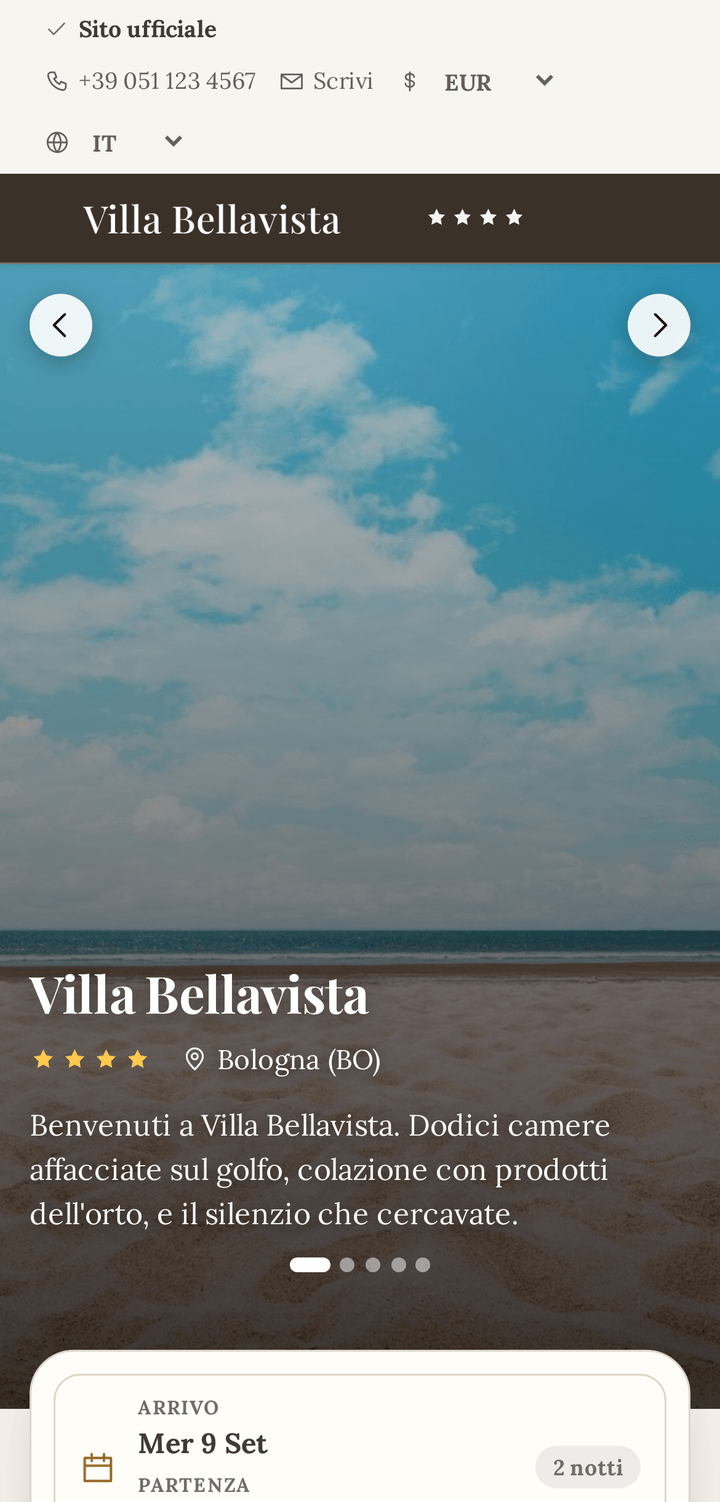
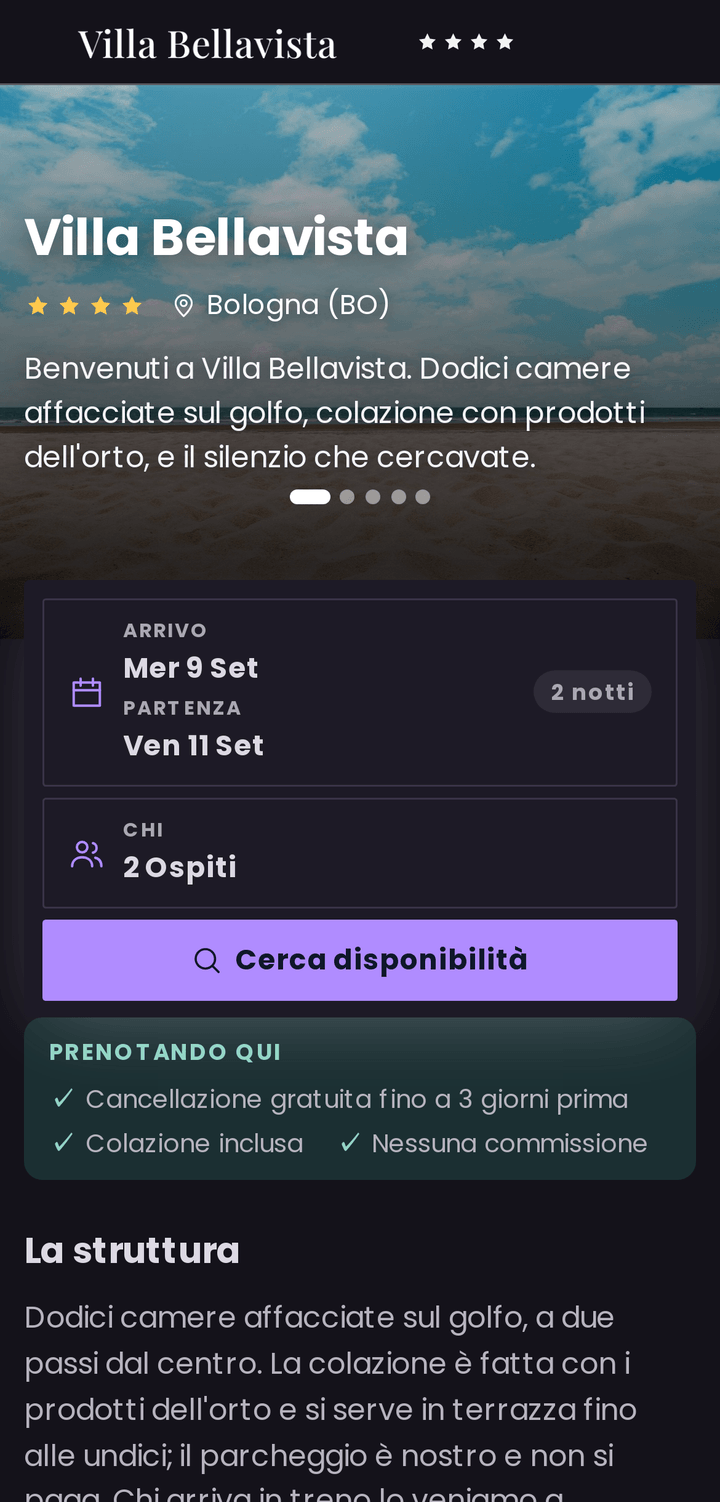
The same hotel and the same dates: only colours, typefaces and shapes change.
Selling direct
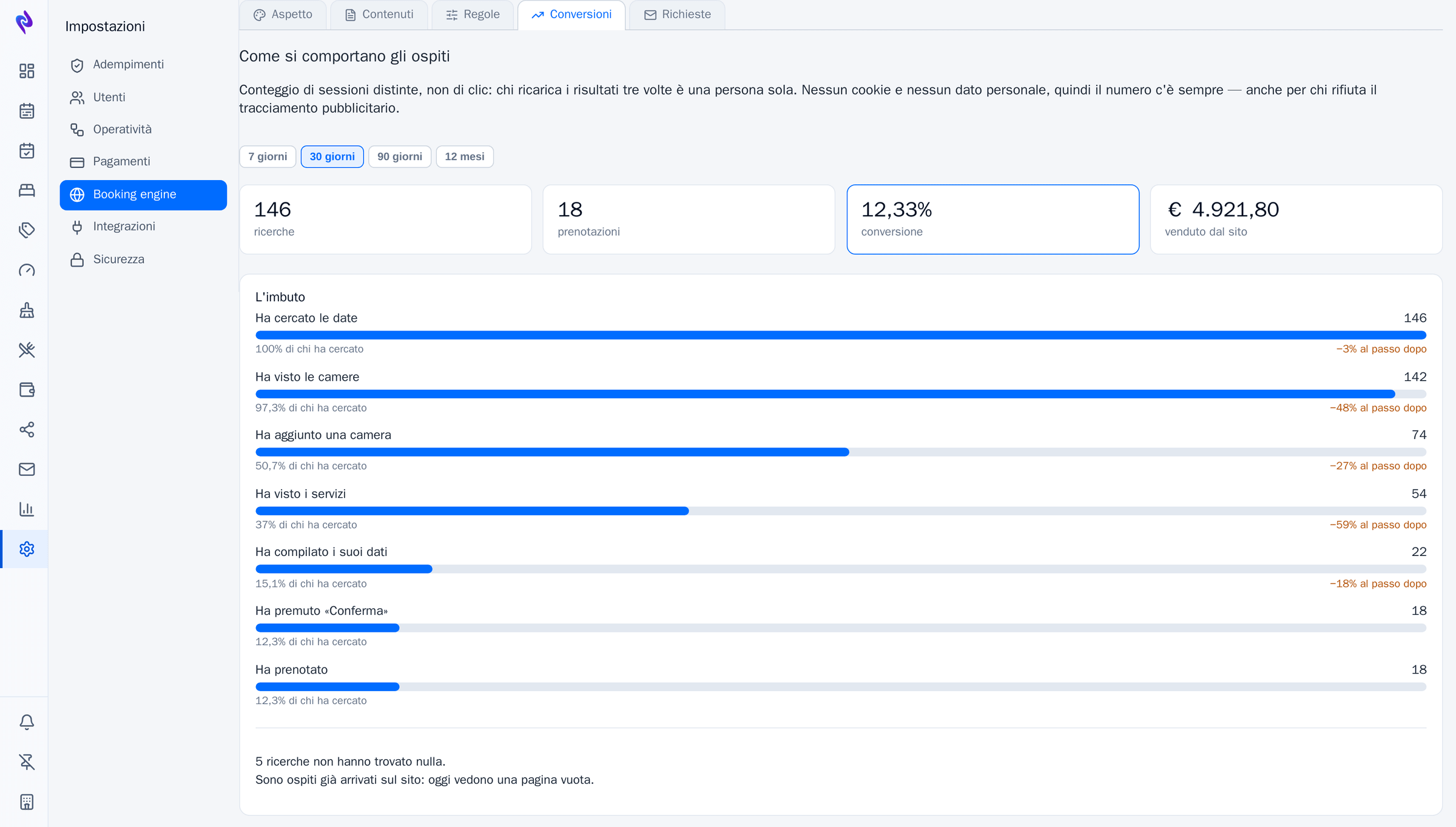
If guests find less on your site than on a portal, they go back to the portal. The OS engine already does all of this, with no extra modules.
Parking, breakfast, transfers: added to the basket, each with its own VAT and availability.
Discount codes and private rates, for the newsletter or a company, with a usage cap.
You write the reasons to book direct, and they appear above the rooms.
Description, amenities, photos, and for each room the size, beds and what's inside.
It suggests nearby dates or other rooms, and if that isn't enough the guest leaves an enquiry.
Guests who stop before confirming get a reminder, with updated prices.
Italian, English, German, French and Spanish; prices also in the guest's currency.
A snippet to paste brings availability search into the site you have.
The property shows on Google and Maps with a link to the direct site, free.
Tag Manager, GA4 and Pixel switch on with a code, and only fire after consent.
The strip at the top tells guests they are on the hotel's own site, with the front desk's phone and email.
The price the guest confirms is the one they saw in the basket.
Your hotel website
With OS and with Ambra we also build your hotel's website: rooms, board options, offers, how to get there, in Italian, English, German, French and Spanish. Guests who write to you from the site reach Ambra, who drafts the reply with the right price and shows it to you before sending; guests who want to book do it on the OS booking engine, without going through the portals.
While we work together we keep it up to date: offers, photos, texts, opening periods — just ask.
The website and the domain are yours from day one. If one day you stop, the site stays online and we hand it over complete: from then on you update it, or whoever you choose does.
Included with a twenty-four-month commitment, otherwise €500 one-off. If you already have a recent website you like, we keep it and connect the OS booking engine and Ambra to it.
Away from the front desk
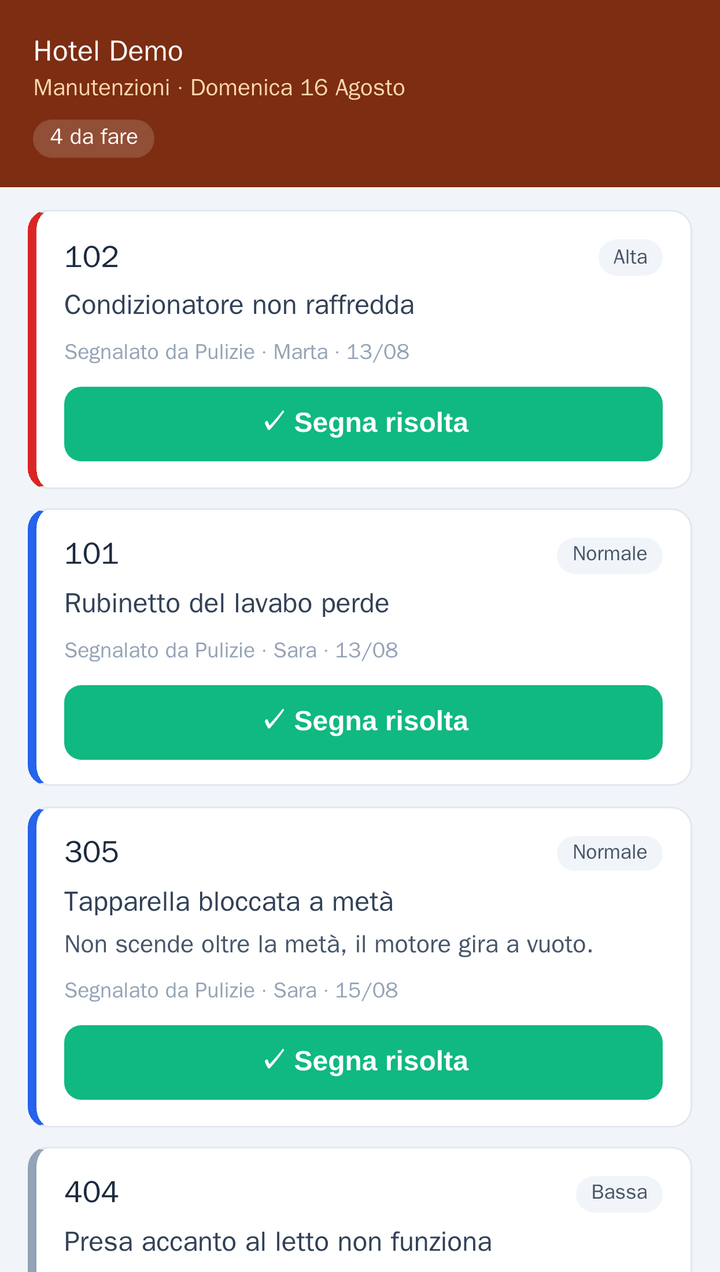
The dining room, housekeeping and maintenance open an address on their phone and see only the day's work, with no guest names or prices. What they mark there reaches OS straight away.
The three pages are shown in Italian.
Staff · add-on module
You prepare the week, publish it and confirm the hours at the end, across several hotels too. Shifts sit next to arrivals, departures and covers, the data that tells you how much work there is.
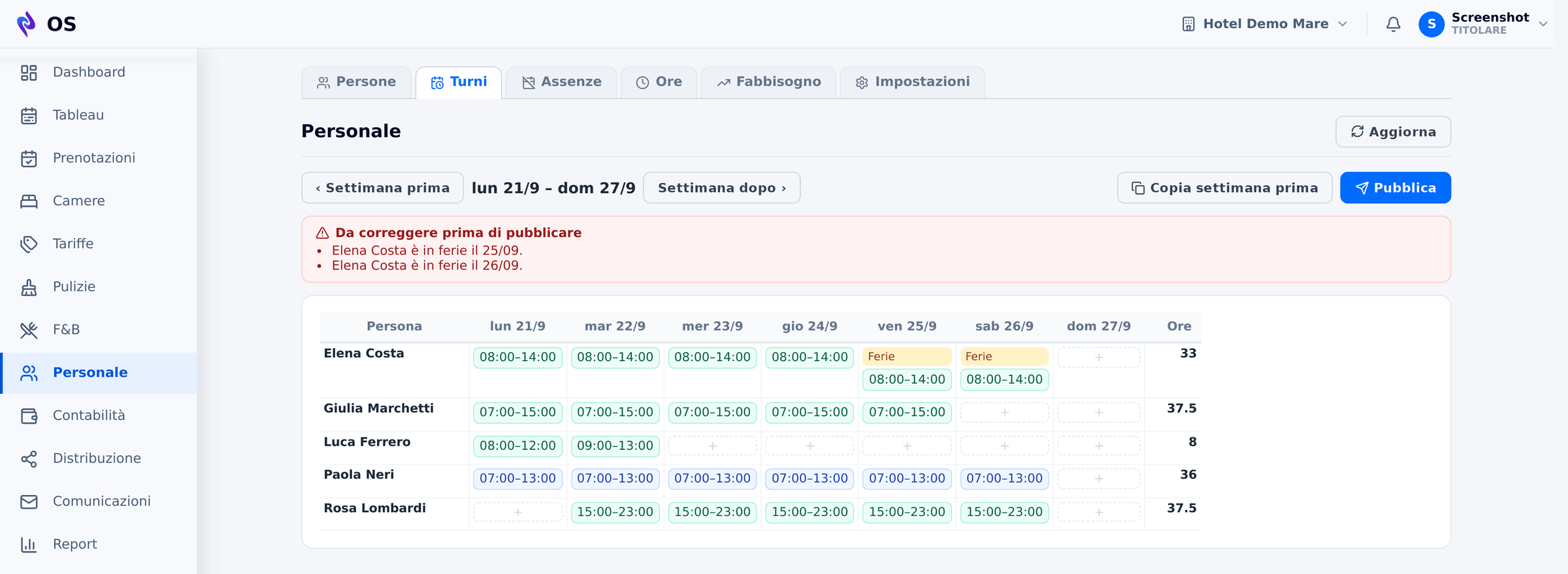
Shift templates, copy last week, and repeat shifts in a single action.
One record for staff who work in several properties, and overlapping shifts are stopped before publishing.
Management approves holidays; rest periods and the 48 hours give a warning but don't block.
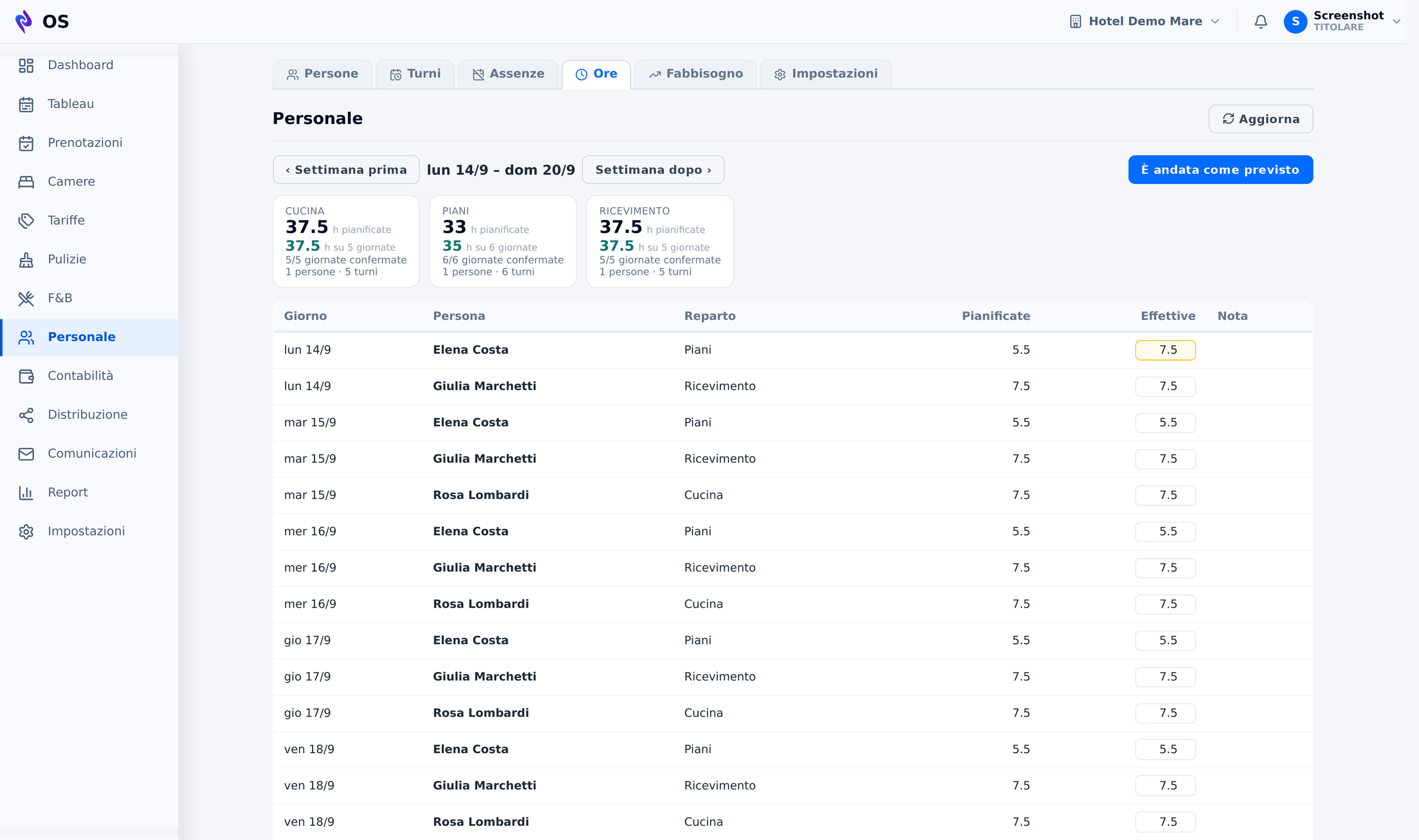
At the end of the week you confirm the hours worked, correcting only where things went differently.
An estimate of the hours needed in housekeeping, at the front desk and in the restaurant, from bookings already made.
It does not clock people in or run payroll, and shifts are seen by whoever signs in to OS: a personal phone page isn't there yet.
Compliance
Tourist tax and VAT are worked out from guest nights and documents already recorded. Half a day of work at month end becomes a screen to check.
No overbooking
Availability is checked on every booking, whichever channel it comes from. If a room is already sold, the system won't sell it again.
More than a PMS
RatePilot, CostCore and Ambra sell on their own too. On top of OS their features are used inside the PMS, with the same sign-in, and they cost far less.
Updates prices every night and during the day, and writes them onto the tableau.
Puts OS revenue next to your costs, department by department.
Answers guests with real rooms and prices, and works with your staff inside OS.
Pricing
Almost no Italian hotel system publishes its prices: you ask for a quote and find out the number at the end. We write it down. Annual fee per property, VAT excluded, covering the PMS, the channel manager, the direct booking site, fiscal documents and statutory reporting. No activation fee. The extras are RatePilot, up to 45 units, Ambra, CostCore and the Staff module.
| Units | OS alone | With RatePilot |
|---|---|---|
| up to 10 | €900 | €1,500 |
| 11-20 | €1,400 | €2,200 |
| 21-30 | €1,900 | €3,000 |
| 31-45 | €2,600 | €4,100 |
RatePilot stays optional and can be added whenever you want, without redoing the contract: €600 more up to ten units, €1,500 up to forty-five. On its own, without OS, it costs more.
| Units | Annual fee | Per room, per month |
|---|---|---|
| 46-60 | €4,800 | €6.70 - 8.70 |
| 61-80 | €5,800 | €6.00 - 7.90 |
| 81-110 | €7,200 | €5.50 - 7.40 |
| 111-150 | €9,000 | €5.00 - 6.80 |
| over 150 | tailored | from €5.00 |
Above 46 units revenue management is not a module to buy: it is inside the fee.
| Units | OS + Ambra | OS + RatePilot + Ambra |
|---|---|---|
| up to 10 | €1,500 | €2,100 |
| 11-20 | €2,200 | €3,000 |
| 21-30 | €3,000 | €4,100 |
| 31-45 | €4,000 | €5,500 |
| 46-60 | €6,600 | €6,600 |
| 61-80 | €8,000 | €8,000 |
| 81-110 | €10,100 | €10,100 |
| 111-150 | €12,800 | €12,800 |
| over 150 | tailored | tailored |
Ambra can be added whenever you want, and on top of OS it costs far less than on its own: from €600 more a year up to ten units, €1,400 up to forty-five. From 46 units RatePilot is already in the fee, which is why the two columns match.
| Units | OS + CostCore | With treasury |
|---|---|---|
| up to 10 | €1,700 | €2,700 |
| 11-20 | €2,200 | €3,200 |
| 21-30 | €2,900 | €4,200 |
| 31-45 | €3,600 | €4,900 |
| 46-60 | €6,000 | €7,600 |
| 61-80 | €7,000 | €8,600 |
| 81-110 | €8,600 | €10,600 |
| 111-150 | €10,400 | €12,400 |
| over 150 | tailored | tailored |
CostCore can be added whenever you want, and on top of OS it costs far less than on its own: from €800 more a year up to twenty units, €1,400 up to one hundred and fifty. Revenue already comes from the PMS, and activation is included with a twenty-four-month commitment (otherwise €300). Treasury covers up to three banks per property. Below 46 units RatePilot, if you want it, is added separately.
| Units | Extra, per year |
|---|---|
| up to 10 | €180 |
| 11-20 | €290 |
| 21-30 | €390 |
| 31-45 | €540 |
| 46-60 | €790 |
| 61-80 | €990 |
| 81-110 | €1,250 |
| 111-150 | €1,590 |
| over 150 | tailored |
Shifts, holidays, hours and staffing needs for every department. Paid per property, each on its own band; someone who works in several hotels of the group stays one person.
Guided setup, one ninety-minute session with a real person, the video library and a check on your first channel connection: included in the fee. The session is for the people who will use OS every day; the rest of the staff learn from the videos.
If you would rather be walked through it: assisted start in three sessions +€390, or a day on site +€790.
Two days on site with a twenty-four-month commitment: setup and training for your department leads (front desk, housekeeping, accounts), who then bring their colleagues along. Everyone else has the videos.
Without the commitment, activation is €1,200. If you would rather we train the whole staff ourselves, extra days are €600.
Bringing years of bookings and guest records across from another system is bespoke work, and it is quoted separately.
We tell you before you sign, not after.
Hotel website included with OS and with Ambra, with a twenty-four-month commitment (otherwise €500 one-off); extra pages or languages with a written quote first. Billed annually in advance; up to 45 units monthly billing is available (+15%). Seasonal properties −15%. Second property −10%, fifth and beyond −15%. Prices exclude VAT.
Frequently asked questions
Yes. The OS fee covers the PMS, the channel manager, the direct booking site, tax documents and statutory reporting. There is no setup fee.
From €900 a year up to ten units, VAT excluded. The full price list, with RatePilot, Ambra and CostCore, is published on this page.
For a single property two to three weeks, including moving the data and training. It is best done in the low season.
Yes. A snippet to paste puts availability search on your site, and guests book on the OS engine from there. If you prefer, we can also build you a new site with OS.
Yes. Several hotels in the same group work with a single sign-in, and staff can be shared between properties.
We'll show you the PMS with your property in front of you.
Request a demo